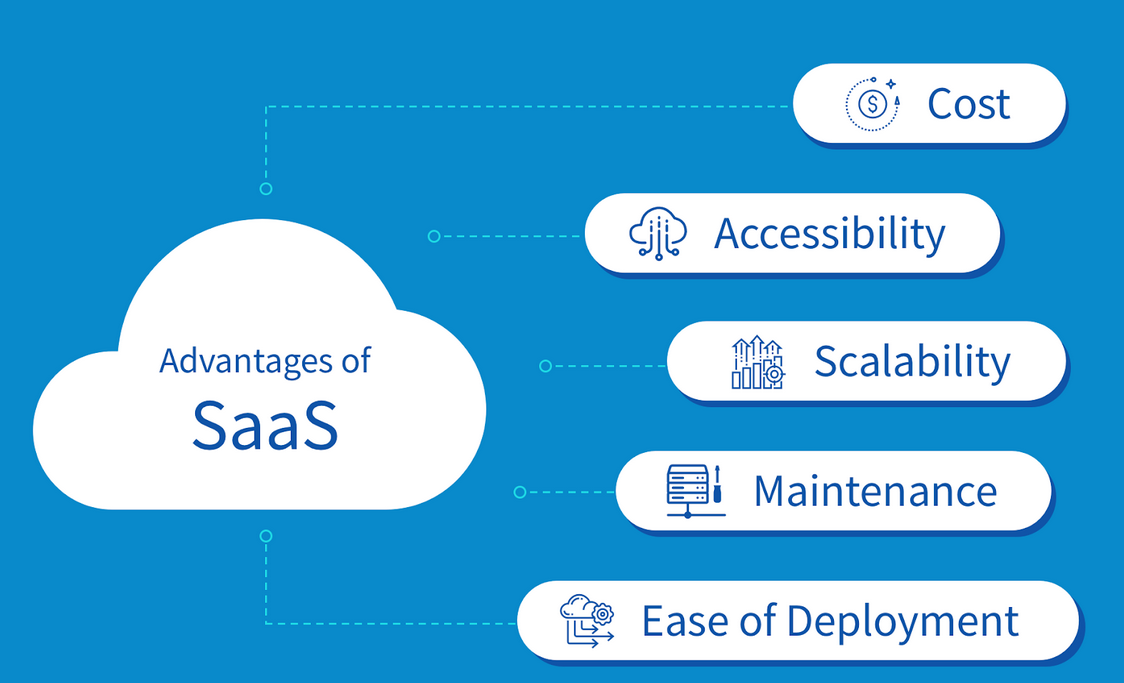
In today’s fast-paced digital economy, businesses are constantly searching for ways to improve efficiency, reduce costs, and stay competitive. One of the most transformative innovations in recent years is Software as a Service (SaaS). This cloud-based software delivery model has revolutionized how organizations access, manage, and utilize software applications.
Instead of installing and maintaining software on individual computers or servers, SaaS allows users to access applications over the internet. From startups to large enterprises, businesses across industries are embracing SaaS solutions to streamline operations and enhance productivity.
In this comprehensive guide, we will explore the top benefits of SaaS for modern businesses and why it has become an essential component of digital transformation strategies.
What is SaaS?
Software as a Service (SaaS) is a cloud computing model where software applications are hosted by a service provider and made available to users via the internet. Users typically pay a subscription fee, eliminating the need for upfront hardware and software investments.
Common examples of SaaS applications include:
- Customer Relationship Management (CRM) tools
- Accounting software
- Project management platforms
- Email and collaboration tools
- Marketing automation systems
1. Cost Efficiency
Lower Initial Investment
One of the most significant advantages of SaaS is the elimination of high upfront costs. Traditional software requires businesses to purchase licenses, hardware, and infrastructure. With SaaS, companies can start using software immediately with minimal initial investment.
Subscription-Based Pricing
SaaS operates on a subscription model, allowing businesses to pay monthly or annually. This makes budgeting more predictable and manageable, especially for small and medium-sized enterprises (SMEs).
Reduced IT Costs
Since the service provider handles maintenance, updates, and infrastructure, businesses can significantly reduce IT staffing and operational expenses.
2. Scalability and Flexibility
Easy Scaling
SaaS solutions are designed to grow with your business. Whether you need to add new users, expand storage, or access additional features, scaling up or down is simple and fast.
Flexible Plans
Most SaaS providers offer multiple pricing tiers, allowing businesses to choose a plan that suits their current needs and upgrade as they grow.
Global Accessibility
Employees can access SaaS applications from anywhere in the world, making it ideal for remote teams and global operations.
3. Accessibility and Mobility
Anytime, Anywhere Access
SaaS applications are accessible through web browsers, enabling users to work from any location with an internet connection.
Device Compatibility
Whether using a laptop, tablet, or smartphone, SaaS platforms are designed to work seamlessly across devices.
Enhanced Productivity
Remote access allows employees to collaborate and complete tasks without being tied to a physical office, improving overall productivity.
4. Automatic Updates and Maintenance
No Manual Updates
With traditional software, updates can be time-consuming and disruptive. SaaS providers handle updates automatically, ensuring users always have access to the latest features and security patches.
Reduced Downtime
Maintenance is managed by the provider, minimizing system downtime and ensuring smooth operations.
Continuous Improvement
SaaS vendors frequently release enhancements, allowing businesses to benefit from ongoing innovation without additional costs.
5. Improved Collaboration
Real-Time Collaboration
SaaS tools enable multiple users to work on the same document or project simultaneously, improving teamwork and efficiency.
Centralized Data
All data is stored in a centralized location, making it easier for teams to access and share information.
Integration with Other Tools
Many SaaS applications integrate with other platforms, creating a seamless workflow across departments.
6. Enhanced Security
Advanced Security Measures
SaaS providers invest heavily in security technologies, including encryption, firewalls, and multi-factor authentication.
Regular Backups
Data is automatically backed up, reducing the risk of data loss due to hardware failure or human error.
Compliance Standards
Many SaaS providers comply with industry standards and regulations, ensuring data protection and privacy.
7. Faster Deployment
Quick Setup
Unlike traditional software, which may take weeks or months to implement, SaaS applications can be deployed in a matter of hours or days.
Minimal Configuration
Most SaaS platforms require little to no configuration, allowing businesses to start using them immediately.
Reduced Time-to-Value
Faster deployment means businesses can quickly realize the benefits of the software.
8. Integration Capabilities
API Support
SaaS applications often provide APIs (Application Programming Interfaces), enabling integration with other systems.
Seamless Workflows
Integration allows businesses to automate processes and improve efficiency across departments.
Ecosystem Expansion
Businesses can build a connected ecosystem of tools that work together seamlessly.
9. Data-Driven Insights
Real-Time Analytics
Many SaaS platforms include built-in analytics and reporting tools, providing valuable insights into business performance.
Better Decision-Making
Access to accurate and up-to-date data helps businesses make informed decisions.
Custom Reporting
Users can generate customized reports tailored to their specific needs.
10. Customization and Personalization
Configurable Features
SaaS applications often allow users to customize settings, workflows, and dashboards.
User-Specific Experiences
Different users can have personalized views and access levels based on their roles.
Adaptability
Businesses can adapt the software to meet their unique requirements.
11. Business Continuity and Disaster Recovery
Cloud-Based Backup
Data stored in the cloud is protected against local disasters such as fires, floods, or hardware failures.
Rapid Recovery
In case of disruptions, businesses can quickly restore operations with minimal downtime.
Reliability
SaaS providers typically offer high uptime guarantees, ensuring consistent availability.
12. Competitive Advantage
Faster Innovation
SaaS enables businesses to adopt new technologies quickly, staying ahead of competitors.
Agility
Organizations can respond more effectively to market changes and customer demands.
Improved Customer Experience
With better tools and data insights, businesses can deliver superior customer service.
13. Environmental Benefits
Reduced Hardware Usage
SaaS eliminates the need for extensive on-premise hardware, reducing energy consumption.
Lower Carbon Footprint
Cloud providers often use energy-efficient data centers, contributing to sustainability efforts.
Paperless Operations
Digital workflows reduce the need for paper, promoting eco-friendly practices.
14. Automatic Scalability for Traffic and Demand
Handling Peak Loads
SaaS platforms can handle sudden increases in traffic without performance issues.
Elastic Resources
Resources are allocated dynamically based on demand, ensuring optimal performance.
Cost Optimization
Businesses only pay for the resources they use, avoiding unnecessary expenses.
15. Ease of Use
User-Friendly Interfaces
Most SaaS applications are designed with intuitive interfaces, making them easy to use.
Minimal Training Required
Employees can quickly learn how to use the software, reducing training costs.
Faster Adoption
Ease of use leads to higher adoption rates within organizations.
Challenges of SaaS (And How to Overcome Them)
While SaaS offers numerous benefits, it is important to be aware of potential challenges:
Internet Dependency
Since SaaS relies on internet connectivity, disruptions can affect access.
Solution: Invest in reliable internet connections and backup options.
Data Security Concerns
Some businesses worry about storing data in the cloud.
Solution: Choose reputable providers with strong security certifications.
Limited Customization
Certain SaaS applications may have customization limitations.
Solution: Select platforms that offer flexible configurations and integrations.
How to Choose the Right SaaS Solution
To maximize the benefits of SaaS, businesses should consider the following factors:
Identify Business Needs
Understand your requirements and choose a solution that aligns with your goals.
Evaluate Features
Compare features, pricing, and scalability options among different providers.
Check Security Measures
Ensure the provider follows best practices for data protection.
Read Reviews
Customer feedback can provide valuable insights into the reliability of the software.
Test with Free Trials
Many SaaS providers offer free trials, allowing you to evaluate the platform before committing.
Future of SaaS in Modern Business
The SaaS industry continues to evolve, driven by advancements in technology such as:
- Artificial Intelligence (AI)
- Machine Learning (ML)
- Automation
- Internet of Things (IoT)
These innovations are expected to further enhance SaaS capabilities, making it even more valuable for businesses.
Conclusion
Software as a Service (SaaS) has transformed the way modern businesses operate. From cost savings and scalability to enhanced collaboration and security, the benefits of SaaS are undeniable.
By adopting SaaS solutions, businesses can streamline operations, improve efficiency, and stay competitive in an increasingly digital world. While there are challenges to consider, the advantages far outweigh the drawbacks when the right solutions are chosen.
As technology continues to advance, SaaS will remain a critical driver of innovation and growth for businesses of all sizes.
Final Thoughts
For modern businesses looking to thrive in a competitive landscape, SaaS is no longer an option—it is a necessity. Embracing this powerful model can unlock new opportunities, drive efficiency, and position your organization for long-term success.
If you haven’t already explored SaaS solutions, now is the perfect time to start your digital transformation journey.